Q2 was another big quarter for SAP Business Technology Platform. From application development to integration and analytics, we are excited to share how SAP BTP continues to simplify, streamline, and speed things up! Let’s dive into some of the top innovations!
App Dev & Automation Highlights
Simplified SAPUI5 extensions with the SAP Build Extensibility Wizard
If your business relies on Cloud ERP as its IT backbone, you know it may need extensions to meet unique requirements. When built-in extensibility isn’t enough, SAP Build on SAP BTP offers powerful options for custom coding and Fiori UI extensions.
Now, with the SAP Build Extensibility Wizard, you can create UI extensions directly from your Cloud ERP application. By launching the Extensibility Wizard directly from your SAP Fiori application, you are given different options for the type of extension you want to create.
The User Interface Extension lets you either adapt the existing Fiori app or create a new custom application. By setting up your destinations and details in the Wizard, you can either remove sections, add new fields, and create a completely new variant of the application with SAP Build Code and Business Application Studio. Developers and key users can already use it to create custom processes and now, custom user interfaces.
Watch the video demo (starting at 0:08) for more insights!
Learn more: Simplify SAPUI5 Code Extensions with the SAP Build Extensibility Wizard
Application to Enable Business Users to Manage Decisions
To empower business users to view or maintain decisions within SAP Build Process Automation, we launched a dedicated, purpose-built application that can be accessed directly from SAP Build Work Zone – without the need of IT.
Business users can access a dedicated application in SAP Build Work Zone to manage decisions within a single project. Users can open the decision table, modify values directly, or import data from Excel and then save their changes, seeing only what matters and making the experience clean and focused. The release of a changed version is only one click away. Any errors are shown in the design console, letting users view the different versions of the project.
See for yourself in the demo (starting at 2:05) for more insights!
Learn more
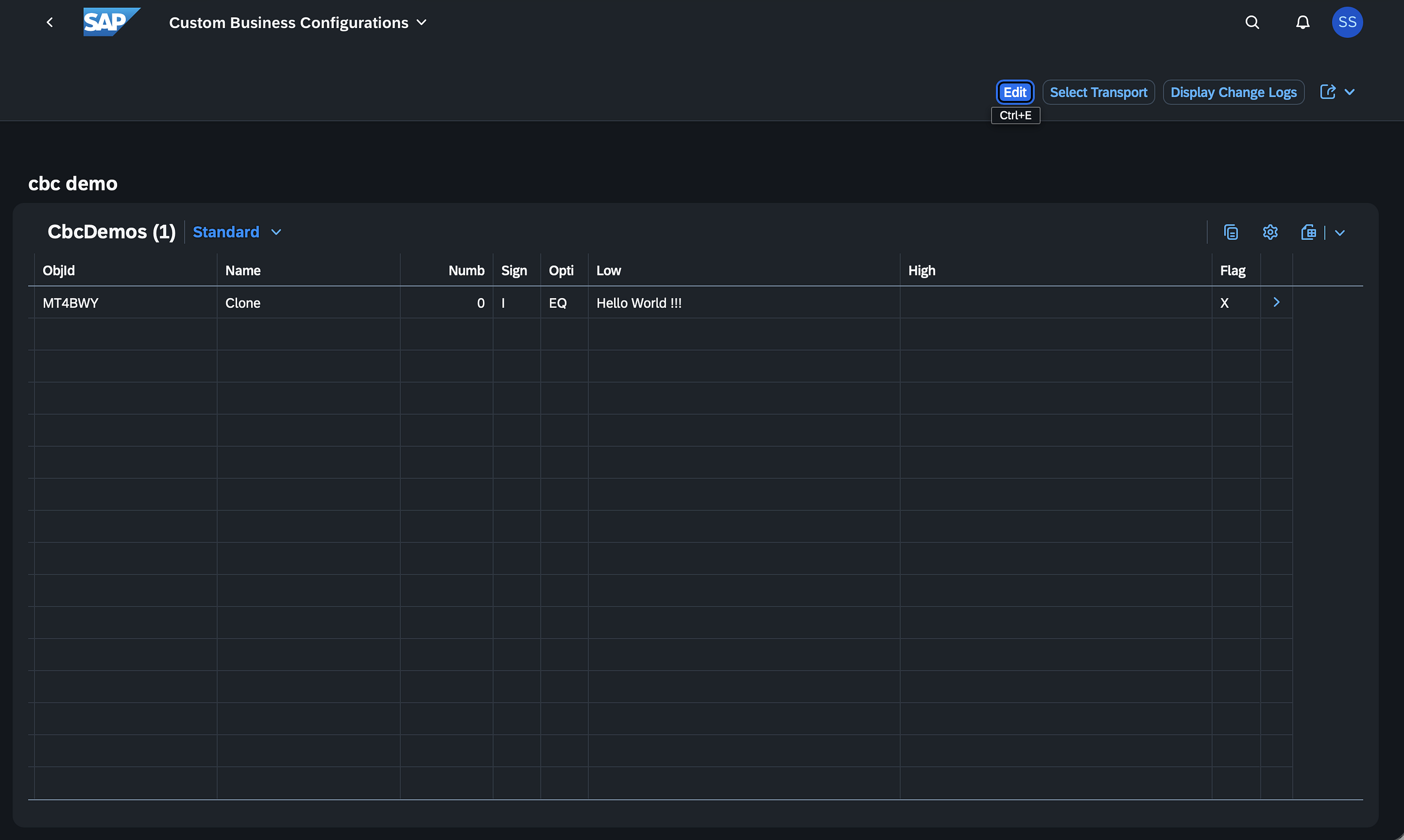
Configure the Stuido Home Application Using the Studio Home Application
Partner Solutions as an Installable Product on SAP BTP ABAP Environment
Good news for SAP partners developing apps with SAP BTP ABAP Environment: you can now offer your solution not only as a multitenant Software as a Service solution, but also as an installable product!
Customers can now install the solution directly in their system as a product. As a part of SAP BTP ABAP Environment, the Landscape Portal supports both delivery options: multitenant SaaS and installable product.
You can do this in three easy steps:
Build your product with the Register Product app. Choose your delivery model: For multitenant SaaS, configure it in the Maintain Solution app For installable product, use the Publish Product app. Publish your solution to the SAP Store with a PartnerEdge Build contract and an SAP Store enhancement.
Now customers using SAP BTP ABAP Environment can find your product in the SAP Store and install it into their own system using the Deploy Product option.
For detailed guidance, watch the demo (starting at 3:42).
Learn more: Building partner products on SAP BTP ABAP Environment
Integration Highlight
Describe Externalized Parameters of an Integration Flow
In SAP Integration Suite externalization enables integration developers to define parameters as variables for certain configurations of adapters or flow steps of an integration flow. The values of these parameters can be changed without editing the integration flow, for example, when moving integrations from development or test environment to production. To simplify the understanding of this difficult and technical process, content developers can now provide descriptions directly in the integration flow editor. These can be the potential values, examples or additional details explaining the impact of specific values which will then be visible for guiding through each of the fields in the Configure view. This brings huge potential to improve the maintainability and reusability of your integration scenarios.
Take a look at the demo (starting at 5:21) and see for yourself!
Learn more: Externalized Parameters View
Data & Analytics Highlight
Analytical insights in Joule
Joule, SAP’s copilot, now enables you to get quick analytical answers without having to build reports. This provides you with valuable insights, saving time and giving you the information you need.
Joule scans available data sources and suggests a few options, making comparisons to previous months easier. Joule updates the view right away, making it easy to see how things are trending. For example, you can ask for the top ten sales agents, check the monthly commission trend from January to March, giving you contextual and relevant answers
See this in action in the demo (starting 7:15).
Learn more: Introducing Analytical Insights in Joule: Empowering Smarter Decisions, Instantly
Cross Platform Highlight
Provision App-Specific Groups in Identity Directory
SAP Cloud Identity Services tenant enables immediate provisioning of authorizations to target systems in SAP Analytics Cloud target system. You can centrally manage user-group assignments linked to application-specific policies, triggering provisioning jobs that synchronize access rights efficiently and securely. This ensures users gain prompt access to their designated roles in the target system.
Watch the demo (starting at 8:37) for a closer look.
Learn more: SAP Cloud Identity Services
Share your thoughts
These videos are for YOU. We would love to hear your impressions. How do you like the video? How can we improve the upcoming videos? Please share your feedback by liking this post or leaving a comment below.
Thank you for your support and happy viewing, sharing, and enjoying!
You Might Also Be Interested In
SAP BTP Garage: monthly LIVE webinar with hands-on use case walkthroughs and demos.SAP BTP Talk Podcast: monthly podcast covering all things SAP BTP.
Q2 was another big quarter for SAP Business Technology Platform. From application development to integration and analytics, we are excited to share how SAP BTP continues to simplify, streamline, and speed things up! Let’s dive into some of the top innovations!App Dev & Automation Highlights Simplified SAPUI5 extensions with the SAP Build Extensibility Wizard If your business relies on Cloud ERP as its IT backbone, you know it may need extensions to meet unique requirements. When built-in extensibility isn’t enough, SAP Build on SAP BTP offers powerful options for custom coding and Fiori UI extensions. Now, with the SAP Build Extensibility Wizard, you can create UI extensions directly from your Cloud ERP application. By launching the Extensibility Wizard directly from your SAP Fiori application, you are given different options for the type of extension you want to create.The User Interface Extension lets you either adapt the existing Fiori app or create a new custom application. By setting up your destinations and details in the Wizard, you can either remove sections, add new fields, and create a completely new variant of the application with SAP Build Code and Business Application Studio. Developers and key users can already use it to create custom processes and now, custom user interfaces. Watch the video demo (starting at 0:08) for more insights! Learn more: Simplify SAPUI5 Code Extensions with the SAP Build Extensibility WizardApplication to Enable Business Users to Manage DecisionsTo empower business users to view or maintain decisions within SAP Build Process Automation, we launched a dedicated, purpose-built application that can be accessed directly from SAP Build Work Zone – without the need of IT. Business users can access a dedicated application in SAP Build Work Zone to manage decisions within a single project. Users can open the decision table, modify values directly, or import data from Excel and then save their changes, seeing only what matters and making the experience clean and focused. The release of a changed version is only one click away. Any errors are shown in the design console, letting users view the different versions of the project. See for yourself in the demo (starting at 2:05) for more insights!Learn more Configure the Stuido Home Application Using the Studio Home ApplicationPartner Solutions as an Installable Product on SAP BTP ABAP Environment Good news for SAP partners developing apps with SAP BTP ABAP Environment: you can now offer your solution not only as a multitenant Software as a Service solution, but also as an installable product! Customers can now install the solution directly in their system as a product. As a part of SAP BTP ABAP Environment, the Landscape Portal supports both delivery options: multitenant SaaS and installable product. You can do this in three easy steps:Build your product with the Register Product app. Choose your delivery model: For multitenant SaaS, configure it in the Maintain Solution app For installable product, use the Publish Product app. Publish your solution to the SAP Store with a PartnerEdge Build contract and an SAP Store enhancement. Now customers using SAP BTP ABAP Environment can find your product in the SAP Store and install it into their own system using the Deploy Product option. For detailed guidance, watch the demo (starting at 3:42). Learn more: Building partner products on SAP BTP ABAP EnvironmentIntegration HighlightDescribe Externalized Parameters of an Integration Flow In SAP Integration Suite externalization enables integration developers to define parameters as variables for certain configurations of adapters or flow steps of an integration flow. The values of these parameters can be changed without editing the integration flow, for example, when moving integrations from development or test environment to production. To simplify the understanding of this difficult and technical process, content developers can now provide descriptions directly in the integration flow editor. These can be the potential values, examples or additional details explaining the impact of specific values which will then be visible for guiding through each of the fields in the Configure view. This brings huge potential to improve the maintainability and reusability of your integration scenarios. Take a look at the demo (starting at 5:21) and see for yourself! Learn more: Externalized Parameters ViewData & Analytics HighlightAnalytical insights in Joule Joule, SAP’s copilot, now enables you to get quick analytical answers without having to build reports. This provides you with valuable insights, saving time and giving you the information you need. Joule scans available data sources and suggests a few options, making comparisons to previous months easier. Joule updates the view right away, making it easy to see how things are trending. For example, you can ask for the top ten sales agents, check the monthly commission trend from January to March, giving you contextual and relevant answers See this in action in the demo (starting 7:15).Learn more: Introducing Analytical Insights in Joule: Empowering Smarter Decisions, InstantlyCross Platform HighlightProvision App-Specific Groups in Identity Directory SAP Cloud Identity Services tenant enables immediate provisioning of authorizations to target systems in SAP Analytics Cloud target system. You can centrally manage user-group assignments linked to application-specific policies, triggering provisioning jobs that synchronize access rights efficiently and securely. This ensures users gain prompt access to their designated roles in the target system.Watch the demo (starting at 8:37) for a closer look. Learn more: SAP Cloud Identity ServicesShare your thoughts These videos are for YOU. We would love to hear your impressions. How do you like the video? How can we improve the upcoming videos? Please share your feedback by liking this post or leaving a comment below.Thank you for your support and happy viewing, sharing, and enjoying!You Might Also Be Interested InSAP BTP Garage: monthly LIVE webinar with hands-on use case walkthroughs and demos.SAP BTP Talk Podcast: monthly podcast covering all things SAP BTP. Read More Technology Blog Posts by SAP articles
#SAP
#SAPTechnologyblog