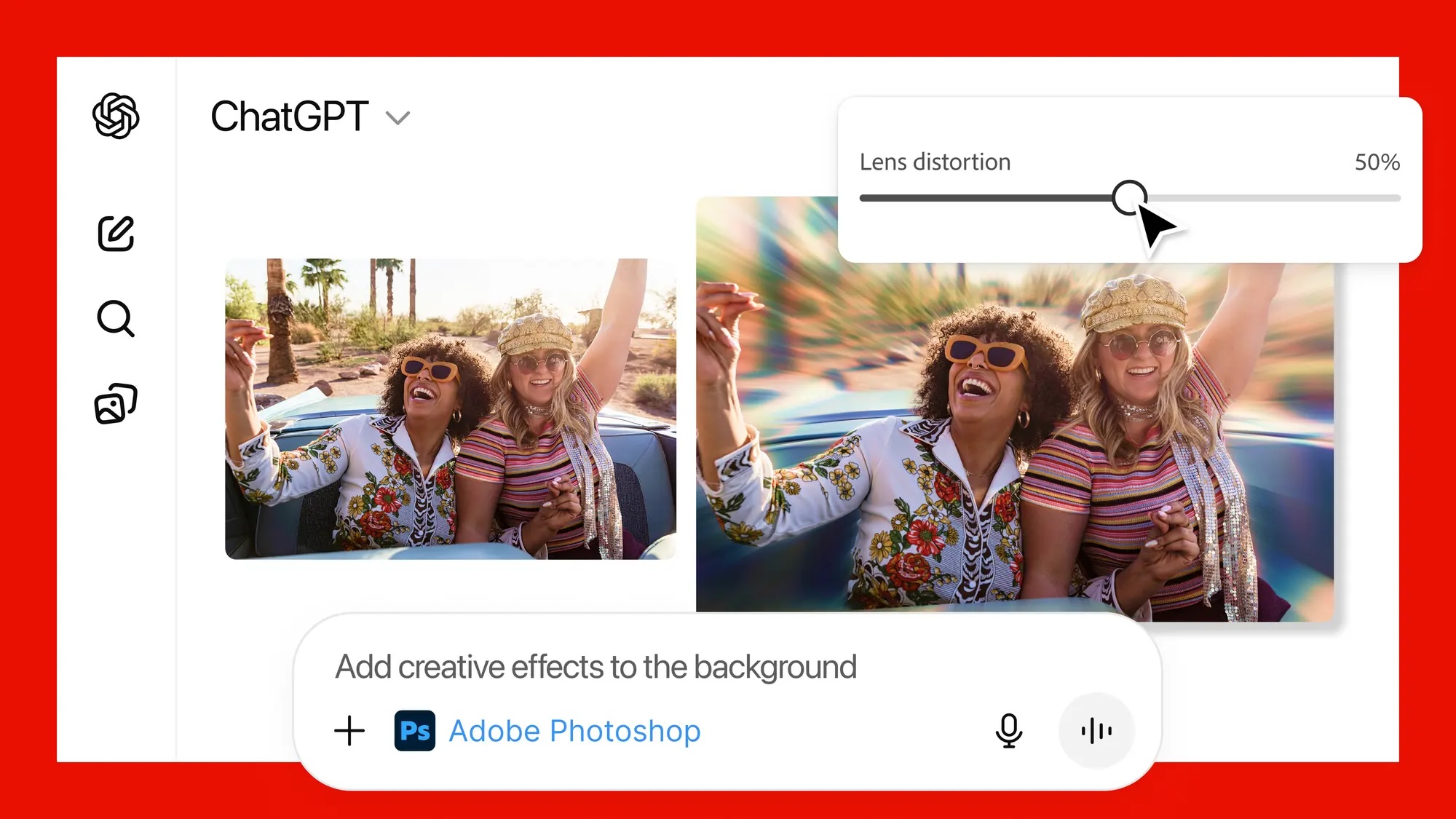
Starting today, many Adobe Photoshop, Adobe Acrobat, and Adobe Express features are available to use directly in ChatGPT, allowing you to edit photos, transform PDF documents, design event invitations, and more with conversational prompts.
After connecting the apps, you can use prompts such as “add creative effects to the background” or “create an invitation for my dance party.”
Here is what you can do, according to Adobe:
Easily edit and uplevel images with Adobe Photoshop: Adjust a specific part of an image, fine-tune image settings like brightness, contrast and exposure, and apply creative effects like Glitch and Glow — all while preserving the quality of the image.Create and personalize designs with Adobe Express: Browse Adobe Express’ extensive library of professional designs to find the best one for any moment, fill in the text, replace images, animate designs and iterate on edits — all directly inside the chat and without needing to switch to another app — to create standout content for any occasion.Transform and organize documents with Adobe Acrobat: Edit PDFs directly in the chat, extract text or tables, organize and merge multiple files, compress files and convert them to PDF while keeping formatting and quality intact. Acrobat for ChatGPT also enables people to easily redact sensitive details.After connecting the apps to ChatGPT in Settings → Apps & Connectors, you can find them by clicking on the plus sign next to the chat field and selecting “More.” ChatGPT can also automatically surface the apps if you use a prompt such as “Adobe Photoshop, help me blur the background of this image” or “Adobe Acrobat, help me edit this PDF.”
Adobe’s app integrations are available to all ChatGPT users worldwide, for free, across ChatGPT.com and the ChatGPT app for the iPhone, iPad, and Mac. Adobe Express for ChatGPT is also available on Android, with support for Photoshop and Acrobat for ChatGPT on Android coming soon, according to the announcement.
If you want to use more advanced features, you an seamlessly move from ChatGPT to Adobe’s standalone apps and pick up right where you left off.
This article, “Adobe Photoshop and Adobe Acrobat Features Now Available in ChatGPT” first appeared on MacRumors.com
Discuss this article in our forums
Starting today, many Adobe Photoshop, Adobe Acrobat, and Adobe Express features are available to use directly in ChatGPT, allowing you to edit photos, transform PDF documents, design event invitations, and more with conversational prompts.
After connecting the apps, you can use prompts such as “add creative effects to the background” or “create an invitation for my dance party.”
Here is what you can do, according to Adobe:
Easily edit and uplevel images with Adobe Photoshop: Adjust a specific part of an image, fine-tune image settings like brightness, contrast and exposure, and apply creative effects like Glitch and Glow — all while preserving the quality of the image.Create and personalize designs with Adobe Express: Browse Adobe Express’ extensive library of professional designs to find the best one for any moment, fill in the text, replace images, animate designs and iterate on edits — all directly inside the chat and without needing to switch to another app — to create standout content for any occasion.Transform and organize documents with Adobe Acrobat: Edit PDFs directly in the chat, extract text or tables, organize and merge multiple files, compress files and convert them to PDF while keeping formatting and quality intact. Acrobat for ChatGPT also enables people to easily redact sensitive details.After connecting the apps to ChatGPT in Settings → Apps & Connectors, you can find them by clicking on the plus sign next to the chat field and selecting “More.” ChatGPT can also automatically surface the apps if you use a prompt such as “Adobe Photoshop, help me blur the background of this image” or “Adobe Acrobat, help me edit this PDF.”
Adobe’s app integrations are available to all ChatGPT users worldwide, for free, across ChatGPT.com and the ChatGPT app for the iPhone, iPad, and Mac. Adobe Express for ChatGPT is also available on Android, with support for Photoshop and Acrobat for ChatGPT on Android coming soon, according to the announcement.
If you want to use more advanced features, you an seamlessly move from ChatGPT to Adobe’s standalone apps and pick up right where you left off.Tags: Adobe, ChatGPTThis article, “Adobe Photoshop and Adobe Acrobat Features Now Available in ChatGPT” first appeared on MacRumors.comDiscuss this article in our forums Read More MacRumors: Mac News and Rumors – All Stories
#Techno #PCWorld