Introduction
Data integration addresses the data exchange between two or more communication partners without a relation to a business process.
Using the SQL service binding and the open database connectivity (ODBC), you can implement data integration scenarios where data in the ABAP system can be accessed from an external system or application outside the ABAP system.
Data integration in ABAP Cloud mainly focuses on SQL-based integration between systems. There are two main approaches:
Data federation: live access from an ABAP system to an external database (for example, SAP HANA Cloud).Data replication: copying data from one system to another, usually delta-based, so only changes are transferred.
From an ABAP system perspective, data integration has two dimensions:
Data exposure: defining which data is exposed and how external systems can access it.Data consumption: accessing and using data that resides outside the ABAP system.
This post focuses on data exposure using SQL services.
Data Exposure from ABAP Cloud System using SQL Services
In ABAP systems, database objects are managed by the ABAP layer, meaning, by data dictionary, application server and so on. Direct database access is therefore discouraged and often impossible in cloud environments. Does this mean SQL access is not possible? Not at all!
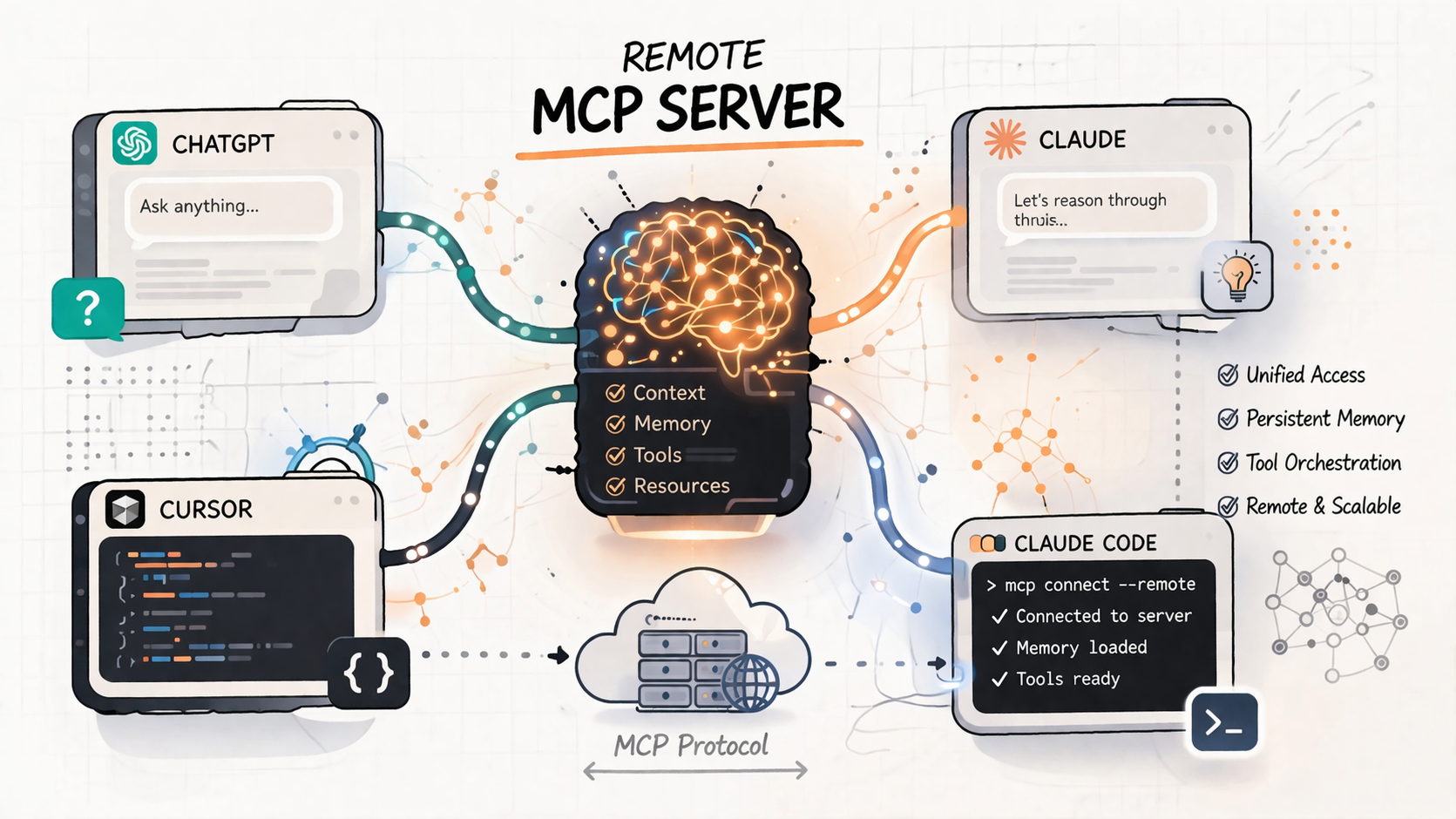
With SQL services, ABAP opens a secure SQL port at the application server layer. External applications can query exposed ABAP objects using SQL, without direct database access.
The key benefits are as follows:
Data exposure is based on CDS views and the ABAP Cloud service model.Authorization is handled via ABAP users and roles, not database users.Business data restrictions (for example, region-based access) are fully supported.Requests benefit from application server buffering.Lifecycle management is fully integrated into the ABAP development process.
As a developer in the ABAP environment, you can expose CDS view entities in an ABAP system for external consumption using SQL services. An SQL service is a standardized protocol of the Application Server ABAP providing SQL-level access to ABAP-managed database objects, such as CDS view entities, for consumers outside the system. The SQL service can be specified as a type of service binding.
SAP also provides an ABAP ODBC driver, which can be used by any ODBC-compliant tool (such as Microsoft Excel). From newer releases, this driver is included in SAP HANA Cloud and can be used to create remote connections to ABAP systems.
Compared to the OData interface, the SQL service exposure has the advantage that it allows unrestricted SQL access to all exposed ABAP CDS view entities. Data from different entities can be joined in an ad-hoc fashion and data can be aggregated for SQL queries.
Data Exposure-Technical User Scenario
This post covered the technical user (privileged) scenario, which is ideal for system-to-system integration. In this scenario, the technical user has unrestricted access to all exposed data.
Privileged vs. Business User Access
Privileged access uses a technical communication user with full access to exposed data.Business user access applies authorization checks and business data restrictions based on user roles.
Data integration can be considered from the point of view of a single ABAP system, the so called “In inbound data integration scenarios” in which you define and set up inbound services in the ABAP system, so that you can expose data from the ABAP system to external systems and tools.
To start with, in your SAP BTP ABAP system, create a new ABAP Cloud project and add a package, for example “ZTRAVEL_000”. Then do the following steps:
Design-Time Setup
We create an example with travel scenario.
Create a database table.EndUserText.label : ‘Travel Data’
@AbapCatalog.enhancement.category : #NOT_EXTENSIBLE
@AbapCatalog.tableCategory : #TRANSPARENT
@AbapCatalog.deliveryClass : #A
@AbapCatalog.dataMaintenance : #RESTRICTED
define table ztravel_000 {
key client : abap.clnt not null;
key travel_id : abap.numc(8) not null;
agency_id : abap.numc(6);
customer_id : abap.numc(6);
begin_date : abap.dats;
end_date : abap.dats;
@Semantics.amount.currencyCode : ‘ztravel_000.currency_code’
booking_fee : abap.curr(16,2);
@Semantics.amount.currencyCode : ‘ztravel_000.currency_code’
total_price : abap.curr(16,2);
currency_code : abap.cuky;
description : abap.sstring(1024);
overall_status : abap.char(1);
created_by : abp_creation_user;
created_at : abp_creation_tstmpl;
last_changed_by : abp_locinst_lastchange_user;
last_changed_at : abp_locinst_lastchange_tstmpl;
local_last_changed_at : abp_lastchange_tstmpl;
}
Save and activate it.
2. Create a CDS view on top of the table.
AbapCatalog.viewEnhancementCategory: [#NONE]
@AccessControl.authorizationCheck: #NOT_REQUIRED
@EndUserText.label: ‘Core Data Service Entity for travel’
@Metadata.ignorePropagatedAnnotations: true
define root view entity ZR_TRAVEL_000 as select from ZTRAVEL_000
{
key travel_id as TravelID,
agency_id as AgencyID,
customer_id as CustomerID,
begin_date as BeginDate,
end_date as EndDate,
@Semantics.amount.currencyCode: ‘CurrencyCode’
booking_fee as BookingFee,
@Semantics.amount.currencyCode: ‘CurrencyCode’
total_price as TotalPrice,
@Consumption.valueHelpDefinition: [ {
entity.name: ‘I_CurrencyStdVH’,
entity.element: ‘Currency’,
useForValidation: true
} ]
currency_code as CurrencyCode,
description as Description,
overall_status as OverallStatus,
@Semantics.user.createdBy: true
created_by as CreatedBy,
@Semantics.systemDateTime.createdAt: true
created_at as CreatedAt,
@Semantics.user.localInstanceLastChangedBy: true
last_changed_by as LastChangedBy,
@Semantics.systemDateTime.localInstanceLastChangedAt: true
last_changed_at as LastChangedAt,
@Semantics.systemDateTime.lastChangedAt: true
local_last_changed_at as LocalLastChangedAt
}
Save and activate it.
3. Create a class to populate the table and verify the data.
CLASS zcl_travel_data_gen_000 DEFINITION
PUBLIC
FINAL
CREATE PUBLIC .
PUBLIC SECTION.
INTERFACES if_oo_adt_classrun.
PROTECTED SECTION.
PRIVATE SECTION.
ENDCLASS.
CLASS zcl_travel_data_gen_000 IMPLEMENTATION.
METHOD if_oo_adt_classrun~main.
DATA:
group_id TYPE string VALUE ‘000’,
attachment TYPE /dmo/attachment,
file_name TYPE /dmo/filename,
mime_type TYPE /dmo/mime_type.
* clear data
DELETE FROM ztravel_000.
“insert travel demo data
INSERT ztravel_000 FROM (
SELECT
FROM /dmo/travel AS travel
FIELDS
travel~travel_id AS travel_id,
travel~agency_id AS agency_id,
travel~customer_id AS customer_id,
travel~begin_date AS begin_date,
travel~end_date AS end_date,
travel~booking_fee AS booking_fee,
travel~total_price AS total_price,
travel~currency_code AS currency_code,
travel~description AS description,
CASE travel~status “[N(New) | P(Planned) | B(Booked) | X(Cancelled)]
WHEN ‘N’ THEN ‘O’
WHEN ‘P’ THEN ‘O’
WHEN ‘B’ THEN ‘A’
ELSE ‘X’
END AS overall_status,travel~createdby AS created_by,
travel~createdat AS created_at,
travel~lastchangedby AS last_changed_by,
travel~lastchangedat AS last_changed_at,
travel~lastchangedat AS local_last_changed_at
ORDER BY travel_id UP TO 10 ROWS
).
COMMIT WORK.
out->write( |Demo data generated for table ztravel_{ group_id }. | ).
ENDMETHOD.
ENDCLASS.
Save and activate it. Press F9 to run the class. On the table as well as the CDS view, press F8 to see the data.
4. Define a service definition exposing the CDS view.
@EndUserText.label: ‘Service definition for service type SQL’
define service ZSQL_TRAVEL_000 {
expose ZR_TRAVEL_000 as Travel;
5. Create a service binding of type SQL
Save and activate it.
6. Create a communication scenario and add the inbound object S_PRIVILEGED_SQL1.
In Authorization tab, Add authorization object S_SQL_View
Fill up the fields with the following’s values
Save and Publish the Scenario.
Configuration-Time Setup
In the Fiori launchpad of your development system:
1. Create a Communication Arrangement by creating a communication system (inbound only) and a communication user based on the Communication Scenario you published in design time.
2. In communication system section, click on “New” to create an “Inbound Only” system and an Inbound user. Keep the username and password for later usage in HANA Cloud DB. The inbound service will be added automatically. Click “Save” to create the communication arrangement.
Accessing ABAP Data from SAP HANA Cloud
First, you need to add the SAP HANA Cloud service in your SAP BTP account if you don’t have access to it. In your account and through entitlement, assign the plan “tools” as described in SAP Help Portal:
Subscribing to the SAP HANA Cloud Administration Tools | SAP Help Portal .
In the service marketplace of your BTP account, choose the service, and create the instance
Through this instance you can navigate to your SAP HANA Cloud. Click on your instance to open HANA Cloud Central. In “Instances” section, create an instance considering your requirements. In section” General”, give an Instance name and choose an Administrator password for your ADMIN user and keep it, this username and password is needed to connect to the HANA Cloud DB later. Then create your instance.
In the “connections” section of your instance you will find all the information you need to connect to the database later.
Connect to SAP HANA Cloud using Visual Studio Code
Open visual studio code, install “HANA DB explorer” and use it to connect to your database.
Fill the required field to set the connection. Give the username and password you saved while creating the HANA Cloud DB instance.
Then create a remote source with ABAP ODBC adapter with the communication user and its password you have created as you create the communication system in the configuration time.
SQL Service HANA Cloud Remote Source Configuration
Use this code lines to set up the remote source:
CREATE PSE <pse_name>;
CREATE CERTIFICATE <certificate_name> FROM ‘
—–BEGIN CERTIFICATE—–
.
. “Add the system certificate here”
.
—–END CERTIFICATE—–
‘;
ALTER PSE <pse_name> ADD CERTIFICATE <certificate_name>;
CREATE REMOTE SOURCE <remote_source_name> WITH CREDENTIAL TYPE ‘PASSWORD’ USING ‘user=<inbound_user>;password=<inbound_user_password>;
SET PSE <pse_name> PURPOSE REMOTE SOURCE FOR REMOTE SOURCE <remote_source_name>;
Now we create a virtual table pointing to the exposed CDS entity:
CREATE VIRTUAL TABLE <table_name> AT <remote_source_name>.”NULL”.”ZSQL_TRAVEL_000″.”Travel”;
The virtual table acts as a live container for ABAP data. You can now run standard SQL queries against it and retrieve data directly from the ABAP system:
Privileged access enables communication between an SQL-based client and the ABAP system using a communication user and retrieve data.
In the next post we will discuss the second aspect – the data consumption – to consume data that is located somewhere else in our ABAP Cloud system.
IntroductionData integration addresses the data exchange between two or more communication partners without a relation to a business process.Using the SQL service binding and the open database connectivity (ODBC), you can implement data integration scenarios where data in the ABAP system can be accessed from an external system or application outside the ABAP system.Data integration in ABAP Cloud mainly focuses on SQL-based integration between systems. There are two main approaches:Data federation: live access from an ABAP system to an external database (for example, SAP HANA Cloud).Data replication: copying data from one system to another, usually delta-based, so only changes are transferred.From an ABAP system perspective, data integration has two dimensions:Data exposure: defining which data is exposed and how external systems can access it.Data consumption: accessing and using data that resides outside the ABAP system.This post focuses on data exposure using SQL services.Data Exposure from ABAP Cloud System using SQL ServicesIn ABAP systems, database objects are managed by the ABAP layer, meaning, by data dictionary, application server and so on. Direct database access is therefore discouraged and often impossible in cloud environments. Does this mean SQL access is not possible? Not at all!With SQL services, ABAP opens a secure SQL port at the application server layer. External applications can query exposed ABAP objects using SQL, without direct database access.The key benefits are as follows:Data exposure is based on CDS views and the ABAP Cloud service model.Authorization is handled via ABAP users and roles, not database users.Business data restrictions (for example, region-based access) are fully supported.Requests benefit from application server buffering.Lifecycle management is fully integrated into the ABAP development process.As a developer in the ABAP environment, you can expose CDS view entities in an ABAP system for external consumption using SQL services. An SQL service is a standardized protocol of the Application Server ABAP providing SQL-level access to ABAP-managed database objects, such as CDS view entities, for consumers outside the system. The SQL service can be specified as a type of service binding.SAP also provides an ABAP ODBC driver, which can be used by any ODBC-compliant tool (such as Microsoft Excel). From newer releases, this driver is included in SAP HANA Cloud and can be used to create remote connections to ABAP systems.Compared to the OData interface, the SQL service exposure has the advantage that it allows unrestricted SQL access to all exposed ABAP CDS view entities. Data from different entities can be joined in an ad-hoc fashion and data can be aggregated for SQL queries.Data Exposure-Technical User ScenarioThis post covered the technical user (privileged) scenario, which is ideal for system-to-system integration. In this scenario, the technical user has unrestricted access to all exposed data.Privileged vs. Business User AccessPrivileged access uses a technical communication user with full access to exposed data.Business user access applies authorization checks and business data restrictions based on user roles.Data integration can be considered from the point of view of a single ABAP system, the so called “In inbound data integration scenarios” in which you define and set up inbound services in the ABAP system, so that you can expose data from the ABAP system to external systems and tools.To start with, in your SAP BTP ABAP system, create a new ABAP Cloud project and add a package, for example “ZTRAVEL_000”. Then do the following steps: Design-Time SetupWe create an example with travel scenario.Create a database table.EndUserText.label : ‘Travel Data’
@AbapCatalog.enhancement.category : #NOT_EXTENSIBLE
@AbapCatalog.tableCategory : #TRANSPARENT
@AbapCatalog.deliveryClass : #A
@AbapCatalog.dataMaintenance : #RESTRICTED
define table ztravel_000 {
key client : abap.clnt not null;
key travel_id : abap.numc(8) not null;
agency_id : abap.numc(6);
customer_id : abap.numc(6);
begin_date : abap.dats;
end_date : abap.dats;
@Semantics.amount.currencyCode : ‘ztravel_000.currency_code’
booking_fee : abap.curr(16,2);
@Semantics.amount.currencyCode : ‘ztravel_000.currency_code’
total_price : abap.curr(16,2);
currency_code : abap.cuky;
description : abap.sstring(1024);
overall_status : abap.char(1);
created_by : abp_creation_user;
created_at : abp_creation_tstmpl;
last_changed_by : abp_locinst_lastchange_user;
last_changed_at : abp_locinst_lastchange_tstmpl;
local_last_changed_at : abp_lastchange_tstmpl;
}Save and activate it.2. Create a CDS view on top of the table.AbapCatalog.viewEnhancementCategory: [#NONE]
@AccessControl.authorizationCheck: #NOT_REQUIRED
@EndUserText.label: ‘Core Data Service Entity for travel’
@Metadata.ignorePropagatedAnnotations: true
define root view entity ZR_TRAVEL_000 as select from ZTRAVEL_000
{
key travel_id as TravelID,
agency_id as AgencyID,
customer_id as CustomerID,
begin_date as BeginDate,
end_date as EndDate,
@Semantics.amount.currencyCode: ‘CurrencyCode’
booking_fee as BookingFee,
@Semantics.amount.currencyCode: ‘CurrencyCode’
total_price as TotalPrice,
@Consumption.valueHelpDefinition: [ {
entity.name: ‘I_CurrencyStdVH’,
entity.element: ‘Currency’,
useForValidation: true
} ]
currency_code as CurrencyCode,
description as Description,
overall_status as OverallStatus,
@Semantics.user.createdBy: true
created_by as CreatedBy,
@Semantics.systemDateTime.createdAt: true
created_at as CreatedAt,
@Semantics.user.localInstanceLastChangedBy: true
last_changed_by as LastChangedBy,
@Semantics.systemDateTime.localInstanceLastChangedAt: true
last_changed_at as LastChangedAt,
@Semantics.systemDateTime.lastChangedAt: true
local_last_changed_at as LocalLastChangedAt
}
Save and activate it.3. Create a class to populate the table and verify the data.CLASS zcl_travel_data_gen_000 DEFINITION
PUBLIC
FINAL
CREATE PUBLIC .
PUBLIC SECTION.
INTERFACES if_oo_adt_classrun.
PROTECTED SECTION.
PRIVATE SECTION.
ENDCLASS.
CLASS zcl_travel_data_gen_000 IMPLEMENTATION.
METHOD if_oo_adt_classrun~main.
DATA:
group_id TYPE string VALUE ‘000’,
attachment TYPE /dmo/attachment,
file_name TYPE /dmo/filename,
mime_type TYPE /dmo/mime_type.
* clear data
DELETE FROM ztravel_000.
“insert travel demo data
INSERT ztravel_000 FROM (
SELECT
FROM /dmo/travel AS travel
FIELDS
travel~travel_id AS travel_id,
travel~agency_id AS agency_id,
travel~customer_id AS customer_id,
travel~begin_date AS begin_date,
travel~end_date AS end_date,
travel~booking_fee AS booking_fee,
travel~total_price AS total_price,
travel~currency_code AS currency_code,
travel~description AS description,
CASE travel~status “[N(New) | P(Planned) | B(Booked) | X(Cancelled)]
WHEN ‘N’ THEN ‘O’
WHEN ‘P’ THEN ‘O’
WHEN ‘B’ THEN ‘A’
ELSE ‘X’
END AS overall_status,travel~createdby AS created_by,
travel~createdat AS created_at,
travel~lastchangedby AS last_changed_by,
travel~lastchangedat AS last_changed_at,
travel~lastchangedat AS local_last_changed_at
ORDER BY travel_id UP TO 10 ROWS
).
COMMIT WORK.
out->write( |Demo data generated for table ztravel_{ group_id }. | ).
ENDMETHOD.
ENDCLASS. Save and activate it. Press F9 to run the class. On the table as well as the CDS view, press F8 to see the data.4. Define a service definition exposing the CDS view.@EndUserText.label: ‘Service definition for service type SQL’
define service ZSQL_TRAVEL_000 {
expose ZR_TRAVEL_000 as Travel;5. Create a service binding of type SQLSave and activate it.6. Create a communication scenario and add the inbound object S_PRIVILEGED_SQL1.In Authorization tab, Add authorization object S_SQL_ViewFill up the fields with the following’s valuesSave and Publish the Scenario.Configuration-Time SetupIn the Fiori launchpad of your development system:1. Create a Communication Arrangement by creating a communication system (inbound only) and a communication user based on the Communication Scenario you published in design time.2. In communication system section, click on “New” to create an “Inbound Only” system and an Inbound user. Keep the username and password for later usage in HANA Cloud DB. The inbound service will be added automatically. Click “Save” to create the communication arrangement.Accessing ABAP Data from SAP HANA CloudFirst, you need to add the SAP HANA Cloud service in your SAP BTP account if you don’t have access to it. In your account and through entitlement, assign the plan “tools” as described in SAP Help Portal:Subscribing to the SAP HANA Cloud Administration Tools | SAP Help Portal .In the service marketplace of your BTP account, choose the service, and create the instanceThrough this instance you can navigate to your SAP HANA Cloud. Click on your instance to open HANA Cloud Central. In “Instances” section, create an instance considering your requirements. In section” General”, give an Instance name and choose an Administrator password for your ADMIN user and keep it, this username and password is needed to connect to the HANA Cloud DB later. Then create your instance. In the “connections” section of your instance you will find all the information you need to connect to the database later. Connect to SAP HANA Cloud using Visual Studio CodeOpen visual studio code, install “HANA DB explorer” and use it to connect to your database.Fill the required field to set the connection. Give the username and password you saved while creating the HANA Cloud DB instance.Then create a remote source with ABAP ODBC adapter with the communication user and its password you have created as you create the communication system in the configuration time.SQL Service HANA Cloud Remote Source ConfigurationUse this code lines to set up the remote source:CREATE PSE <pse_name>;
CREATE CERTIFICATE <certificate_name> FROM ‘
—–BEGIN CERTIFICATE—–
.
. “Add the system certificate here”
.
—–END CERTIFICATE—–
‘;
ALTER PSE <pse_name> ADD CERTIFICATE <certificate_name>;
CREATE REMOTE SOURCE <remote_source_name> WITH CREDENTIAL TYPE ‘PASSWORD’ USING ‘user=<inbound_user>;password=<inbound_user_password>;
SET PSE <pse_name> PURPOSE REMOTE SOURCE FOR REMOTE SOURCE <remote_source_name>;Now we create a virtual table pointing to the exposed CDS entity:CREATE VIRTUAL TABLE <table_name> AT <remote_source_name>.”NULL”.”ZSQL_TRAVEL_000″.”Travel”;The virtual table acts as a live container for ABAP data. You can now run standard SQL queries against it and retrieve data directly from the ABAP system:Privileged access enables communication between an SQL-based client and the ABAP system using a communication user and retrieve data.In the next post we will discuss the second aspect – the data consumption – to consume data that is located somewhere else in our ABAP Cloud system. Read More Technology Blog Posts by SAP articles
#SAP
#SAPTechnologyblog