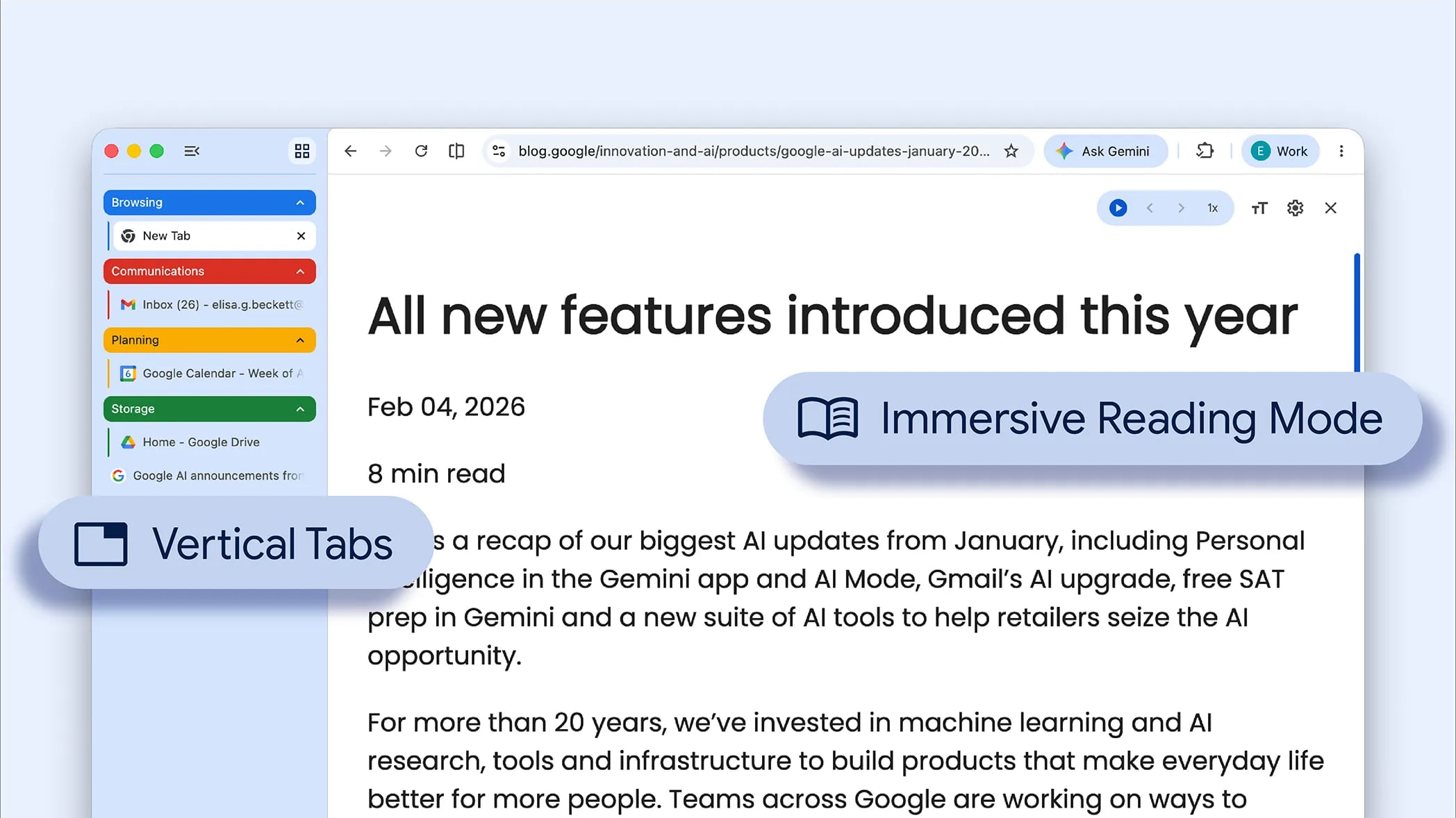
Google today updated its Chrome browser with support for vertical tabs, which are displayed in a sidebar instead of at the top of the browser.
The tab layout can be changed by right clicking on any Chrome window and choosing the “Show Tabs Vertically” option. Sidebar tabs feature full page titles and make it simple to organize tab groups.
Google has also added a new full-page interface for reading mode. Right clicking on a webpage and choosing the “Open in reading mode” option will remove distractions and initiate a full-page viewing experience rather than the current side panel default.
Google says the two new features are rolling out on the desktop version of Chrome starting today, so they should be available for all users soon.
This article, “Google Brings Vertical Tabs and Improved Reading Mode to Chrome” first appeared on MacRumors.com
Discuss this article in our forums
Google today updated its Chrome browser with support for vertical tabs, which are displayed in a sidebar instead of at the top of the browser.
The tab layout can be changed by right clicking on any Chrome window and choosing the “Show Tabs Vertically” option. Sidebar tabs feature full page titles and make it simple to organize tab groups.
Google has also added a new full-page interface for reading mode. Right clicking on a webpage and choosing the “Open in reading mode” option will remove distractions and initiate a full-page viewing experience rather than the current side panel default.
Google says the two new features are rolling out on the desktop version of Chrome starting today, so they should be available for all users soon.Tags: Google, Google ChromeThis article, “Google Brings Vertical Tabs and Improved Reading Mode to Chrome” first appeared on MacRumors.comDiscuss this article in our forums Read More MacRumors: Mac News and Rumors – All Stories
#Techno #PCWorld