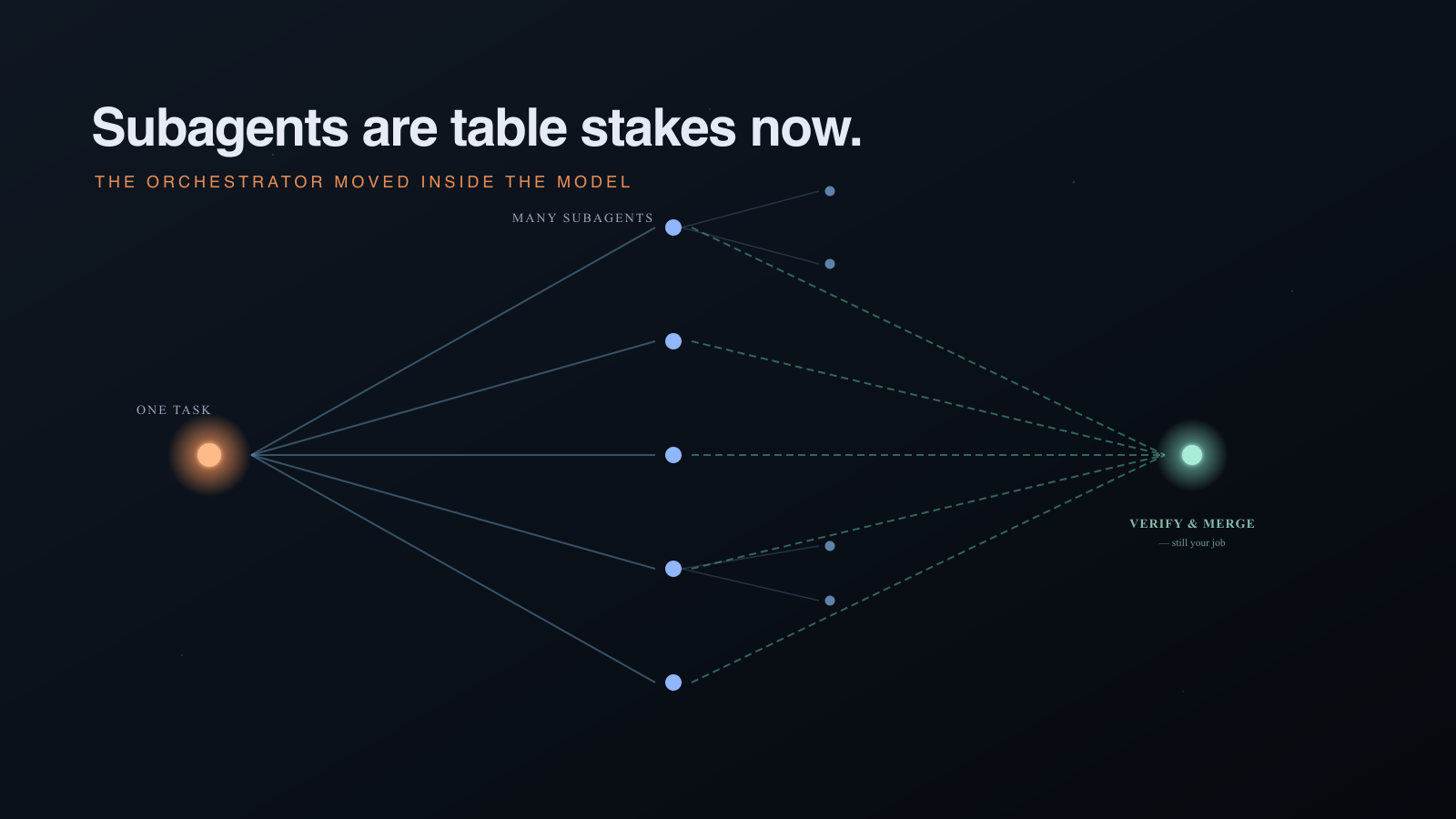


When you provision SAP AI Core’s Generative AI Hub, you get access to dozens of foundation models through a single orchestration endpoint. One service key, all of OpenAI, Anthropic, Google, Meta — ready to go. That works fine for a single team or a proof of concept, but as soon as multiple departments want access, questions arise: who is allowed to administer the tenant, use which models, how much can they spend, and can you enforce content safety centrally?
This guide is split in two parts.
Part 1 shows what advanced governance you get out of the box with the Content-as-a-Service (CaaS) mechanism. With a single YAML file the provider can hand consumers credentials that are structurally restricted and let them call orchestration without ever giving them admin access.
Part 2 is about everything CaaS does not cover — per-team model allowlists when orchestration is shared, token budgets, content-safety enforcement. We sketch a minimal FastAPI proxy that sits transparently between consumers and AI Core, and we run it live to show the principle. We deliberately stop short of a full reference implementation: the moment you want to govern more than orchestration (direct OpenAI/Anthropic/Gemini deployments), the proxy stops being a thin layer.
All examples use a real test environment: a provider subaccount that owns the AI Core instance, and a consumer subaccount that consumes through CaaS. Every curl and JSON response shown was captured live. This blog’s purpose is to show you what is possible and where you need to head to achieve it.
One Instance per Team — or One for Everyone?
Before governance tooling, there is a structural question: should each team get their own AI Core instance, or should you centralize?
With foundation model APIs, the traditional cost argument for centralization does not apply. Unlike the older AI Core pattern of GPU-based model serving where sharing replicas saved real money, foundation models use token-based consumption. There is no GPU infrastructure to share that we manage ourselves. The orchestration “deployment” is an endpoint routing traffic to a provider’s model deployment. Every team’s tokens are billed per use regardless of how many orchestration endpoints exist.
So centralization is a choice, not a necessity. Each team could provision their own AI Core instance in their own subaccount and get natural isolation through BTP entitlements and directory-level cost allocation.
If you do choose to centralize, the practical benefits are: one place to see all usage across teams, faster onboarding (creating a service instance through a broker takes minutes), and a single integration point where you can enforce governance policies. That last point is exactly what we will make use of in the chapters that follow.
Part 1: Native CaaS Governance
The mechanism that makes centralized governance possible is SAP AI Core’s Content-as-a-Service (CaaS) model. CaaS is a multi-tenant distribution mechanism: one subaccount (the provider) owns the AI Core instance and all its deployments. Other subaccounts (consumers) get access through a service broker that the provider publishes. When a consumer creates a service instance through this broker, they receive credentials that are structurally different from the provider’s: fewer scopes, different identity, limited to a shared resource group.
On a standard AI Core instance every service key is equivalent — same clientid, same 47 scopes, same admin access. Creating “a key for Team Alpha” and “a key for Team Beta” gives you the illusion of separation with none of the substance. CaaS changes that.
Setting Up CaaS
The provider does this once. After that, consumer onboarding is self-service.
1. Define the service in YAML. Commit this to the AI Core artifacts repository that is connected via GitOps. The flags here control what consumers can and cannot do:
# caas-foundation-models.yaml
apiVersion: ai.sap.com/v1alpha1
kind: Service
metadata:
name: foundation-model-service
spec:
brokerSecret:
name: caas-broker-credentials
usernameKeyRef: username
passwordKeyRef: password
capabilities:
basic:
staticDeployments: true # provider-managed deployments are visible
userDeployments: false # consumers cannot create/stop/delete deployments
createExecutions: false # consumers cannot run training executions
userPromptTemplates: true
logs:
executions: false
deployments: false
enableSharedResourceGroup: true # provider deploys orchestration + models here
serviceCatalog:
– extendCredentials:
shared:
serviceUrls:
AI_API_URL: https://api.ai.internalprod.eu-central-1.aws.ml.hana.ondemand.com
extendCatalog:
name: foundation-model-service
bindable: true
plans:
– id: standard
name: standard
description: Standard plan – access to pre-deployed foundation models only
The extendCredentials.serviceUrls.AI_API_URL is what every consumer binding will receive as their AI Core endpoint. In Part 2 we will swap this URL for a governance proxy and the consumer SDK will not notice.
2. AI Core registers the service broker. Once the YAML is applied, AI Core creates an Application and exposes a service broker behind a URL like https://aisvc-<id>-foundation-model-service.servicebroker.<region>.aws.ml.hana.ondemand.com. The broker is what consumer subaccounts will talk to when they create a service instance.
3. Provider deploys orchestration in the shared resource group. The shared RG is the only resource group consumers can see. Whatever the provider puts here is what consumers can call — typically the orchestration deployment, which routes to all 50+ foundation models.
4. Consumer subaccounts onboard. The provider registers the broker in each consumer subaccount with the BTP CLI:
btp register services/broker
–name foundation-model-broker
–url https://aisvc–foundation-model-service.servicebroker..aws.ml.hana.ondemand.com
–user –password –use-sm-tls
–subaccount
After that, the consumer is self-service: they create a service instance through the BTP catalog, then a binding, and receive credentials that include the injected AI_API_URL. Their SAP AI SDK uses those credentials without knowing or caring that a proxy may sit in front.
Once the broker is registered, foundation-model-service shows up in the consumer’s BTP Service Marketplace just like any other service — there is no AI Core-specific UI, the consumer treats it as a standard managed service:
The consumer creates a service instance, then a service key (binding). The credentials look exactly like a “normal” AI Core service key would — clientid, clientsecret, url (the consumer’s identity zone), and the AI_API_URL that was injected by the provider’s YAML:
This is the point of CaaS: from the consumer team’s perspective they just consumed a managed service. From the provider’s perspective every credential handed out is structurally constrained.
The official AI Core CaaS documentation still describes the older CLI. With BTP CLI 2.106+ the btp register services/broker command above is the supported path — it works against any subaccount in the global account regardless of CF org/space layout.
Refer to the official Help page for additional insights into this feature and its setup.
Scoped Credentials per Team
When a consumer creates a binding through the broker, they receive a credential that is fundamentally different from the provider’s:
Property Provider key Consumer key
Scopes47 (full admin)3 (minimal)clientidsb-<provider-id>!b13079|xsuaa_std!b77089sb-<consumer-id>!b65018|xsuaa_aicaas!b77089Auth endpoint<provider-subdomain>.authentication…<consumer-subdomain>.authentication…Identity zoneproviderconsumerReacheverythingcall shared deployments
Decoding the consumer JWT confirms it. Three scopes, none of them administrative:
!b65018|xsuaa_aicaas!b77089.servicename.foundation-model-service
!b65018|xsuaa_aicaas!b77089.provider.
uaa.resource
The token also carries ext_attr.serviceinstanceid — the consumer’s own service instance ID. In Part 2 the proxy uses this exact field to identify who is calling.
Deployment Protection
The userDeployments: false flag in the YAML is what enforces this. Any attempt by a consumer to create a deployment is denied at the AI Core boundary — before it touches Kubernetes or the orchestration runtime:
curl -s -X POST “$AI_API_URL/v2/lm/deployments”
-H “Authorization: Bearer $CONSUMER_TOKEN”
-H “AI-Resource-Group: shared”
-H “Content-Type: application/json”
-d ‘{“configurationId”: “00000000-0000-0000-0000-000000000000”}’HTTP/1.1 403
RBAC: access denied
Only the provider controls what is deployed and available.
Resource Group Isolation
AI Core organises work into resource groups, and the provider typically has several — development environments, production workloads, project spaces. Consumers can only see the shared resource group. Everything else is invisible:
# Consumer tries to list deployments in the provider’s “default” RG
curl -s “$AI_API_URL/v2/lm/deployments”
-H “Authorization: Bearer $CONSUMER_TOKEN”
-H “AI-Resource-Group: default”{“count”: 0, “resources”: []}
The provider has 11 deployments in default and dozens more elsewhere. The consumer sees zero. Listing the shared RG, on the other hand, returns exactly what the provider chose to put there:
{
“count”: 2,
“resources”: [
{“id”: “”, “scenarioId”: “orchestration”, “status”: “RUNNING”},
{“id”: “”, “scenarioId”: “foundation-models”, “status”: “RUNNING”}
]
}
In summary, CaaS gives you scoped credentials, deployment protection, and resource group isolation out of the box — SAP-native, zero custom code.
Model Restriction Without Orchestration
There is one more thing CaaS gives you natively: model restriction, but only if you give up orchestration. If you do not need templating, content filtering, grounding or data masking, you can deploy each allowed model individually in the shared RG and skip orchestration. The consumer calls them with the native provider inference endpoint — for OpenAI models that is the Azure-compatible chat completions API:
curl -s -X POST
“$AI_API_URL/v2/inference/deployments//chat/completions?api-version=2024-02-01”
-H “Authorization: Bearer $CONSUMER_TOKEN”
-H “AI-Resource-Group: shared”
-H “Content-Type: application/json”
-d ‘{“messages”:[{“role”:”user”,”content”:”Say hello”}],”max_tokens”:15}'{
“choices”: [
{“message”: {“role”: “assistant”, “content”: “Hello! How can I assist you today?”}}
],
“usage”: {“prompt_tokens”: 9, “completion_tokens”: 10, “total_tokens”: 19}
}
Models that are not deployed simply do not exist for the consumer — a 404 from AI Core, not a custom error. The trade-off: you lose all orchestration features. No prompt templating, no centralised content filtering, no grounding, no data masking. For simple chat-completion use cases this is enough. For workflows that need safety guardrails, it is not — which is where Part 2 begins.
Part 2: Custom Governance Proxy
Once orchestration is deployed in the shared resource group, every consumer can request any of the 50+ models through it. Orchestration is a universal model router, and there is no native configuration to restrict which models a specific consumer can use, to track per-team token spend, or to mandate content-safety filters. Even Token Tracking per Team – or maintaining certain orchestration configurations centrally – is technically feasible if we can put a gouvernance proxy in between the consuming team and the centrally hosted AI Core Endpoints.
The honest assessment up front: this proxy approach scales cleanly when you only proxy the orchestration endpoint. Orchestration is one unified API with one body schema. The moment you also want to govern direct provider deployments — OpenAI chat-completions, Anthropic Messages API, Google Gemini — each schema needs its own model-extraction logic, its own streaming format, its own token usage infos. You end up maintaining a small adapter zoo, and the proxy stops being a thin layer. So when building such a proxy – limitations need to be thought of smartly.
Where the Proxy Goes
Consumer App –> Governance Proxy –> AI Core Orchestration –> Foundation Model
(same API) (consumer credentials) (token-based)
Two pieces matter:
The proxy implements the same API path as AI Core (/v2/inference/deployments/{id}/completion). Any other path is forwarded unchanged.The CaaS service YAML injects the proxy URL transparently. The same extendCredentials.serviceUrls.AI_API_URL field we saw in Part 1 now points at the proxy:serviceCatalog:
– extendCredentials:
shared:
serviceUrls:
AI_API_URL: https://governance-proxy.cfapps.sap.hana.ondemand.com
The next time a consumer requests a binding, their service key contains the proxy URL as AI_API_URL. Their SDK, their CLI, their notebook — all start talking to the proxy without code changes. The Bearer token they send is unchanged: it is still a CaaS-issued JWT, signed by the consumer’s own identity zone, carrying ext_attr.serviceinstanceid. And this is the beauty of this approach – we still give teams the chance to provision the service – get their own service keys and manage them – via the native BTP ways – by hijacking a bit this CaaS approach by infusing a proxy layer. You could of course taks care yourself of hosting a proxy that then authenticates clients with some sort of credentials – but this way a bunch of things are given out of the box.
A Minimal Proxy
The full proxy is a single 90-line main.py. It does three things:
decode the consumer’s JWT and identify them via ext_attr.serviceinstanceid (handy for logging, even if we do not branch on it here)enforce a global model allowlist on orchestration callspass everything else (/v2/lm/…, model metadata, scenarios) straight through to AI CoreAICORE_API_URL = os.environ[“AICORE_API_URL”]
ALLOWED_MODELS = {“gpt-4o”, “gpt-4o-mini”, “gpt-5”} # OpenAI only
def consumer_id_from_token(request: Request) -> str:
auth = request.headers.get(“Authorization”, “”)
if not auth.startswith(“Bearer “):
raise HTTPException(401, “Missing Bearer token”)
payload_b64 = auth[7:].split(“.”)[1]
payload_b64 += “=” * (-len(payload_b64) % 4)
payload = json.loads(base64.urlsafe_b64decode(payload_b64))
sid = payload.get(“ext_attr”, {}).get(“serviceinstanceid”)
if not sid:
raise HTTPException(401, “Token missing ext_attr.serviceinstanceid”)
return sid
@app.post(“/v2/inference/deployments/{deployment_id}/completion”)
async def orchestration_completion(deployment_id: str, request: Request):
sid = consumer_id_from_token(request)
body = await request.json()
model = (body.get(“orchestration_config”, {})
.get(“module_configurations”, {})
.get(“llm_module_config”, {})
.get(“model_name”))
if model not in ALLOWED_MODELS:
return JSONResponse(
status_code=403,
content={“error”: f”Model ‘{model}’ not in allowlist”,
“allowed”: sorted(ALLOWED_MODELS)},
)
upstream = f”{AICORE_API_URL}/v2/inference/deployments/{deployment_id}/completion”
resp = await request.app.state.http.post(
upstream, headers=forward_headers(request), json=body
)
if resp.status_code == 200:
usage = resp.json().get(“orchestration_result”, {}).get(“usage”, {})
print(f”usage consumer={sid} model={model} tokens={usage.get(‘total_tokens’, 0)}”)
# TODO: persist this to a database to enforce real budgets
return Response(content=resp.content, status_code=resp.status_code,
media_type=resp.headers.get(“content-type”))
@app.api_route(“/{path:path}”, methods=[“GET”,”POST”,”PUT”,”DELETE”,”PATCH”,”HEAD”])
async def passthrough(path: str, request: Request):
“””Forward every other AI Core call unchanged.”””
url = f”{AICORE_API_URL}/{path}”
if request.url.query:
url += f”?{request.url.query}”
body = await request.body()
resp = await request.app.state.http.request(
request.method, url, headers=forward_headers(request), content=body or None
)
return Response(content=resp.content, status_code=resp.status_code,
media_type=resp.headers.get(“content-type”))
The allowlist is global here — the rule applies to every consumer that goes through this proxy. A common reason to do this is vendor trust: an organisation may decide that for a given environment only OpenAI models are approved while Anthropic, Google or Meta models require additional review. With orchestration the model name is in the request body, so a constant set at the top of the proxy is enough to enforce it.
When you do need per-team allowlists or budgets, swap the constant for a database lookup keyed by ext_attr.serviceinstanceid from the JWT — the consumer identity is already in every request, you just have to use it.
Deployment is a one-line cf push against a 9-line manifest.yml. The full source is in the governance-proxy/ directory of the GitHub repository.
Result
With the YAML in Part 2 applied and the proxy deployed at governance-proxy.cfapps.sap.hana.ondemand.com, here is what the consumer sees.
Allowed model passes through:
curl -s -X POST
“https://governance-proxy.cfapps.sap.hana.ondemand.com/v2/inference/deployments//completion”
-H “Authorization: Bearer $CONSUMER_TOKEN”
-H “AI-Resource-Group: shared”
-H “Content-Type: application/json”
-d ‘{
“orchestration_config”: {
“module_configurations”: {
“llm_module_config”: {“model_name”:”gpt-4o-mini”,”model_params”:{“max_tokens”:15}},
“templating_module_config”: {“template”:[{“role”:”user”,”content”:”Say hello in German”}]}
}
}
}’HTTP/1.1 200{
“orchestration_result”: {
“choices”: [{“message”: {“content”: “Hello in German is “Hallo.””, “role”: “assistant”}}],
“usage”: {“prompt_tokens”: 11, “completion_tokens”: 8, “total_tokens”: 19}
}
}
Identical response format to AI Core, because the proxy returns AI Core’s response unchanged. In the proxy logs:
usage consumer= model=gpt-4o-mini tokens=19
A model that is not in the allowlist is blocked before it reaches AI Core:
curl -s -X POST
“https://governance-proxy.cfapps.sap.hana.ondemand.com/v2/inference/deployments//completion”
-H “Authorization: Bearer $CONSUMER_TOKEN”
-H “AI-Resource-Group: shared”
-H “Content-Type: application/json”
-d ‘{
“orchestration_config”: {
“module_configurations”: {
“llm_module_config”: {“model_name”:”anthropic–claude-3-5-sonnet”,”model_params”:{“max_tokens”:10}},
“templating_module_config”: {“template”:[{“role”:”user”,”content”:”hi”}]}
}
}
}’HTTP/1.1 403{
“error”: “Model ‘anthropic–claude-3-5-sonnet’ not in allowlist”,
“allowed”: [“gpt-4o”, “gpt-4o-mini”, “gpt-5”]
}
Non-orchestration calls pass straight through. The consumer’s CaaS scopes still constrain what they can reach — listing deployments works, but only in the shared RG:
curl -s “https://governance-proxy.cfapps.sap.hana.ondemand.com/v2/lm/deployments”
-H “Authorization: Bearer $CONSUMER_TOKEN”
-H “AI-Resource-Group: shared”{“count”: 2, “resources”: [{“scenarioId”: “orchestration”}, {“scenarioId”: “foundation-models”}]}
That is governance: the model allowlist is enforced at the proxy, the rest of AI Core’s surface area still works for the consumer, and from the SDK’s perspective nothing has changed.
What You Could Add for Production
The minimal example above is a starting point. There are a number of additional governance levels we can achieve with this approach in a clean way:
Persistent token accounting. The current proxy logs usage to stdout. Persisting this in HANA, Postgres or Redis lets you enforce real budgets (“Team Beta has a 1M-token monthly cap”). We can use the unique identifiers per service instance to implement this per tenant.Content-safety policy injection. Some customers want to enforce a certain level of orchestration configuration for their custom use cases. For example, one could enforce a certain masking operation to be mandatory across all working teams, or add mandatory content filtering. Without it you rely on the developers to do it in their own code.Multi-provider adapters. If consumers also call provider-native deployments, each schema needs its own model-extraction logic. This is where the proxy stops being thin. Consider whether you really need to govern those paths or whether you can require all governed traffic to go through orchestration.
The pattern is the same in every case: a transparent proxy that the consumer cannot distinguish from AI Core, with governance logic applied between authentication and forwarding. CaaS gives you the credential isolation; the proxy gives you everything you want to enforce on top of it.
Conclusion
This blog showed how to achieve deeper levels of governance on top of the AI Foundation for custom AI use cases on BTP. We walked through setting up CaaS for AI Core, what isolation it gives you out of the box, and how a small proxy can fill the gaps when orchestration is shared. Checkout this blog to read more on tracking tokens with Generative AI Hub. Find the code example on GitHub here. I hope you enjoyed the content — leave any comments below.
When you provision SAP AI Core’s Generative AI Hub, you get access to dozens of foundation models through a single orchestration endpoint. One service key, all of OpenAI, Anthropic, Google, Meta — ready to go. That works fine for a single team or a proof of concept, but as soon as multiple departments want access, questions arise: who is allowed to administer the tenant, use which models, how much can they spend, and can you enforce content safety centrally?This guide is split in two parts.Part 1 shows what advanced governance you get out of the box with the Content-as-a-Service (CaaS) mechanism. With a single YAML file the provider can hand consumers credentials that are structurally restricted and let them call orchestration without ever giving them admin access.Part 2 is about everything CaaS does not cover — per-team model allowlists when orchestration is shared, token budgets, content-safety enforcement. We sketch a minimal FastAPI proxy that sits transparently between consumers and AI Core, and we run it live to show the principle. We deliberately stop short of a full reference implementation: the moment you want to govern more than orchestration (direct OpenAI/Anthropic/Gemini deployments), the proxy stops being a thin layer.All examples use a real test environment: a provider subaccount that owns the AI Core instance, and a consumer subaccount that consumes through CaaS. Every curl and JSON response shown was captured live. This blog’s purpose is to show you what is possible and where you need to head to achieve it.One Instance per Team — or One for Everyone?Before governance tooling, there is a structural question: should each team get their own AI Core instance, or should you centralize?With foundation model APIs, the traditional cost argument for centralization does not apply. Unlike the older AI Core pattern of GPU-based model serving where sharing replicas saved real money, foundation models use token-based consumption. There is no GPU infrastructure to share that we manage ourselves. The orchestration “deployment” is an endpoint routing traffic to a provider’s model deployment. Every team’s tokens are billed per use regardless of how many orchestration endpoints exist.So centralization is a choice, not a necessity. Each team could provision their own AI Core instance in their own subaccount and get natural isolation through BTP entitlements and directory-level cost allocation.If you do choose to centralize, the practical benefits are: one place to see all usage across teams, faster onboarding (creating a service instance through a broker takes minutes), and a single integration point where you can enforce governance policies. That last point is exactly what we will make use of in the chapters that follow.Part 1: Native CaaS GovernanceThe mechanism that makes centralized governance possible is SAP AI Core’s Content-as-a-Service (CaaS) model. CaaS is a multi-tenant distribution mechanism: one subaccount (the provider) owns the AI Core instance and all its deployments. Other subaccounts (consumers) get access through a service broker that the provider publishes. When a consumer creates a service instance through this broker, they receive credentials that are structurally different from the provider’s: fewer scopes, different identity, limited to a shared resource group.On a standard AI Core instance every service key is equivalent — same clientid, same 47 scopes, same admin access. Creating “a key for Team Alpha” and “a key for Team Beta” gives you the illusion of separation with none of the substance. CaaS changes that.Setting Up CaaSThe provider does this once. After that, consumer onboarding is self-service.1. Define the service in YAML. Commit this to the AI Core artifacts repository that is connected via GitOps. The flags here control what consumers can and cannot do:# caas-foundation-models.yaml
apiVersion: ai.sap.com/v1alpha1
kind: Service
metadata:
name: foundation-model-service
spec:
brokerSecret:
name: caas-broker-credentials
usernameKeyRef: username
passwordKeyRef: password
capabilities:
basic:
staticDeployments: true # provider-managed deployments are visible
userDeployments: false # consumers cannot create/stop/delete deployments
createExecutions: false # consumers cannot run training executions
userPromptTemplates: true
logs:
executions: false
deployments: false
enableSharedResourceGroup: true # provider deploys orchestration + models here
serviceCatalog:
– extendCredentials:
shared:
serviceUrls:
AI_API_URL: https://api.ai.internalprod.eu-central-1.aws.ml.hana.ondemand.com
extendCatalog:
name: foundation-model-service
bindable: true
plans:
– id: standard
name: standard
description: Standard plan – access to pre-deployed foundation models onlyThe extendCredentials.serviceUrls.AI_API_URL is what every consumer binding will receive as their AI Core endpoint. In Part 2 we will swap this URL for a governance proxy and the consumer SDK will not notice.2. AI Core registers the service broker. Once the YAML is applied, AI Core creates an Application and exposes a service broker behind a URL like https://aisvc-<id>-foundation-model-service.servicebroker.<region>.aws.ml.hana.ondemand.com. The broker is what consumer subaccounts will talk to when they create a service instance.3. Provider deploys orchestration in the shared resource group. The shared RG is the only resource group consumers can see. Whatever the provider puts here is what consumers can call — typically the orchestration deployment, which routes to all 50+ foundation models.4. Consumer subaccounts onboard. The provider registers the broker in each consumer subaccount with the BTP CLI:btp register services/broker
–name foundation-model-broker
–url https://aisvc–foundation-model-service.servicebroker..aws.ml.hana.ondemand.com
–user –password –use-sm-tls
–subaccount After that, the consumer is self-service: they create a service instance through the BTP catalog, then a binding, and receive credentials that include the injected AI_API_URL. Their SAP AI SDK uses those credentials without knowing or caring that a proxy may sit in front.Once the broker is registered, foundation-model-service shows up in the consumer’s BTP Service Marketplace just like any other service — there is no AI Core-specific UI, the consumer treats it as a standard managed service: The consumer creates a service instance, then a service key (binding). The credentials look exactly like a “normal” AI Core service key would — clientid, clientsecret, url (the consumer’s identity zone), and the AI_API_URL that was injected by the provider’s YAML:This is the point of CaaS: from the consumer team’s perspective they just consumed a managed service. From the provider’s perspective every credential handed out is structurally constrained.The official AI Core CaaS documentation still describes the older CLI. With BTP CLI 2.106+ the btp register services/broker command above is the supported path — it works against any subaccount in the global account regardless of CF org/space layout.Refer to the official Help page for additional insights into this feature and its setup.Scoped Credentials per TeamWhen a consumer creates a binding through the broker, they receive a credential that is fundamentally different from the provider’s:Property Provider key Consumer keyScopes47 (full admin)3 (minimal)clientidsb-<provider-id>!b13079|xsuaa_std!b77089sb-<consumer-id>!b65018|xsuaa_aicaas!b77089Auth endpoint<provider-subdomain>.authentication…<consumer-subdomain>.authentication…Identity zoneproviderconsumerReacheverythingcall shared deploymentsDecoding the consumer JWT confirms it. Three scopes, none of them administrative:!b65018|xsuaa_aicaas!b77089.servicename.foundation-model-service
!b65018|xsuaa_aicaas!b77089.provider.
uaa.resourceThe token also carries ext_attr.serviceinstanceid — the consumer’s own service instance ID. In Part 2 the proxy uses this exact field to identify who is calling.Deployment ProtectionThe userDeployments: false flag in the YAML is what enforces this. Any attempt by a consumer to create a deployment is denied at the AI Core boundary — before it touches Kubernetes or the orchestration runtime:curl -s -X POST “$AI_API_URL/v2/lm/deployments”
-H “Authorization: Bearer $CONSUMER_TOKEN”
-H “AI-Resource-Group: shared”
-H “Content-Type: application/json”
-d ‘{“configurationId”: “00000000-0000-0000-0000-000000000000”}’HTTP/1.1 403
RBAC: access deniedOnly the provider controls what is deployed and available.Resource Group IsolationAI Core organises work into resource groups, and the provider typically has several — development environments, production workloads, project spaces. Consumers can only see the shared resource group. Everything else is invisible:# Consumer tries to list deployments in the provider’s “default” RG
curl -s “$AI_API_URL/v2/lm/deployments”
-H “Authorization: Bearer $CONSUMER_TOKEN”
-H “AI-Resource-Group: default”{“count”: 0, “resources”: []}The provider has 11 deployments in default and dozens more elsewhere. The consumer sees zero. Listing the shared RG, on the other hand, returns exactly what the provider chose to put there:{
“count”: 2,
“resources”: [
{“id”: “”, “scenarioId”: “orchestration”, “status”: “RUNNING”},
{“id”: “”, “scenarioId”: “foundation-models”, “status”: “RUNNING”}
]
}In summary, CaaS gives you scoped credentials, deployment protection, and resource group isolation out of the box — SAP-native, zero custom code.Model Restriction Without OrchestrationThere is one more thing CaaS gives you natively: model restriction, but only if you give up orchestration. If you do not need templating, content filtering, grounding or data masking, you can deploy each allowed model individually in the shared RG and skip orchestration. The consumer calls them with the native provider inference endpoint — for OpenAI models that is the Azure-compatible chat completions API:curl -s -X POST
“$AI_API_URL/v2/inference/deployments//chat/completions?api-version=2024-02-01”
-H “Authorization: Bearer $CONSUMER_TOKEN”
-H “AI-Resource-Group: shared”
-H “Content-Type: application/json”
-d ‘{“messages”:[{“role”:”user”,”content”:”Say hello”}],”max_tokens”:15}'{
“choices”: [
{“message”: {“role”: “assistant”, “content”: “Hello! How can I assist you today?”}}
],
“usage”: {“prompt_tokens”: 9, “completion_tokens”: 10, “total_tokens”: 19}
}Models that are not deployed simply do not exist for the consumer — a 404 from AI Core, not a custom error. The trade-off: you lose all orchestration features. No prompt templating, no centralised content filtering, no grounding, no data masking. For simple chat-completion use cases this is enough. For workflows that need safety guardrails, it is not — which is where Part 2 begins.Part 2: Custom Governance ProxyOnce orchestration is deployed in the shared resource group, every consumer can request any of the 50+ models through it. Orchestration is a universal model router, and there is no native configuration to restrict which models a specific consumer can use, to track per-team token spend, or to mandate content-safety filters. Even Token Tracking per Team – or maintaining certain orchestration configurations centrally – is technically feasible if we can put a gouvernance proxy in between the consuming team and the centrally hosted AI Core Endpoints.The honest assessment up front: this proxy approach scales cleanly when you only proxy the orchestration endpoint. Orchestration is one unified API with one body schema. The moment you also want to govern direct provider deployments — OpenAI chat-completions, Anthropic Messages API, Google Gemini — each schema needs its own model-extraction logic, its own streaming format, its own token usage infos. You end up maintaining a small adapter zoo, and the proxy stops being a thin layer. So when building such a proxy – limitations need to be thought of smartly.Where the Proxy GoesConsumer App –> Governance Proxy –> AI Core Orchestration –> Foundation Model
(same API) (consumer credentials) (token-based)Two pieces matter:The proxy implements the same API path as AI Core (/v2/inference/deployments/{id}/completion). Any other path is forwarded unchanged.The CaaS service YAML injects the proxy URL transparently. The same extendCredentials.serviceUrls.AI_API_URL field we saw in Part 1 now points at the proxy:serviceCatalog:
– extendCredentials:
shared:
serviceUrls:
AI_API_URL: https://governance-proxy.cfapps.sap.hana.ondemand.comThe next time a consumer requests a binding, their service key contains the proxy URL as AI_API_URL. Their SDK, their CLI, their notebook — all start talking to the proxy without code changes. The Bearer token they send is unchanged: it is still a CaaS-issued JWT, signed by the consumer’s own identity zone, carrying ext_attr.serviceinstanceid. And this is the beauty of this approach – we still give teams the chance to provision the service – get their own service keys and manage them – via the native BTP ways – by hijacking a bit this CaaS approach by infusing a proxy layer. You could of course taks care yourself of hosting a proxy that then authenticates clients with some sort of credentials – but this way a bunch of things are given out of the box.A Minimal ProxyThe full proxy is a single 90-line main.py. It does three things:decode the consumer’s JWT and identify them via ext_attr.serviceinstanceid (handy for logging, even if we do not branch on it here)enforce a global model allowlist on orchestration callspass everything else (/v2/lm/…, model metadata, scenarios) straight through to AI CoreAICORE_API_URL = os.environ[“AICORE_API_URL”]
ALLOWED_MODELS = {“gpt-4o”, “gpt-4o-mini”, “gpt-5”} # OpenAI only
def consumer_id_from_token(request: Request) -> str:
auth = request.headers.get(“Authorization”, “”)
if not auth.startswith(“Bearer “):
raise HTTPException(401, “Missing Bearer token”)
payload_b64 = auth[7:].split(“.”)[1]
payload_b64 += “=” * (-len(payload_b64) % 4)
payload = json.loads(base64.urlsafe_b64decode(payload_b64))
sid = payload.get(“ext_attr”, {}).get(“serviceinstanceid”)
if not sid:
raise HTTPException(401, “Token missing ext_attr.serviceinstanceid”)
return sid
@app.post(“/v2/inference/deployments/{deployment_id}/completion”)
async def orchestration_completion(deployment_id: str, request: Request):
sid = consumer_id_from_token(request)
body = await request.json()
model = (body.get(“orchestration_config”, {})
.get(“module_configurations”, {})
.get(“llm_module_config”, {})
.get(“model_name”))
if model not in ALLOWED_MODELS:
return JSONResponse(
status_code=403,
content={“error”: f”Model ‘{model}’ not in allowlist”,
“allowed”: sorted(ALLOWED_MODELS)},
)
upstream = f”{AICORE_API_URL}/v2/inference/deployments/{deployment_id}/completion”
resp = await request.app.state.http.post(
upstream, headers=forward_headers(request), json=body
)
if resp.status_code == 200:
usage = resp.json().get(“orchestration_result”, {}).get(“usage”, {})
print(f”usage consumer={sid} model={model} tokens={usage.get(‘total_tokens’, 0)}”)
# TODO: persist this to a database to enforce real budgets
return Response(content=resp.content, status_code=resp.status_code,
media_type=resp.headers.get(“content-type”))
@app.api_route(“/{path:path}”, methods=[“GET”,”POST”,”PUT”,”DELETE”,”PATCH”,”HEAD”])
async def passthrough(path: str, request: Request):
“””Forward every other AI Core call unchanged.”””
url = f”{AICORE_API_URL}/{path}”
if request.url.query:
url += f”?{request.url.query}”
body = await request.body()
resp = await request.app.state.http.request(
request.method, url, headers=forward_headers(request), content=body or None
)
return Response(content=resp.content, status_code=resp.status_code,
media_type=resp.headers.get(“content-type”))The allowlist is global here — the rule applies to every consumer that goes through this proxy. A common reason to do this is vendor trust: an organisation may decide that for a given environment only OpenAI models are approved while Anthropic, Google or Meta models require additional review. With orchestration the model name is in the request body, so a constant set at the top of the proxy is enough to enforce it.When you do need per-team allowlists or budgets, swap the constant for a database lookup keyed by ext_attr.serviceinstanceid from the JWT — the consumer identity is already in every request, you just have to use it.Deployment is a one-line cf push against a 9-line manifest.yml. The full source is in the governance-proxy/ directory of the GitHub repository.ResultWith the YAML in Part 2 applied and the proxy deployed at governance-proxy.cfapps.sap.hana.ondemand.com, here is what the consumer sees.Allowed model passes through:curl -s -X POST
“https://governance-proxy.cfapps.sap.hana.ondemand.com/v2/inference/deployments//completion”
-H “Authorization: Bearer $CONSUMER_TOKEN”
-H “AI-Resource-Group: shared”
-H “Content-Type: application/json”
-d ‘{
“orchestration_config”: {
“module_configurations”: {
“llm_module_config”: {“model_name”:”gpt-4o-mini”,”model_params”:{“max_tokens”:15}},
“templating_module_config”: {“template”:[{“role”:”user”,”content”:”Say hello in German”}]}
}
}
}’HTTP/1.1 200{
“orchestration_result”: {
“choices”: [{“message”: {“content”: “Hello in German is “Hallo.””, “role”: “assistant”}}],
“usage”: {“prompt_tokens”: 11, “completion_tokens”: 8, “total_tokens”: 19}
}
}Identical response format to AI Core, because the proxy returns AI Core’s response unchanged. In the proxy logs:usage consumer= model=gpt-4o-mini tokens=19A model that is not in the allowlist is blocked before it reaches AI Core:curl -s -X POST
“https://governance-proxy.cfapps.sap.hana.ondemand.com/v2/inference/deployments//completion”
-H “Authorization: Bearer $CONSUMER_TOKEN”
-H “AI-Resource-Group: shared”
-H “Content-Type: application/json”
-d ‘{
“orchestration_config”: {
“module_configurations”: {
“llm_module_config”: {“model_name”:”anthropic–claude-3-5-sonnet”,”model_params”:{“max_tokens”:10}},
“templating_module_config”: {“template”:[{“role”:”user”,”content”:”hi”}]}
}
}
}’HTTP/1.1 403{
“error”: “Model ‘anthropic–claude-3-5-sonnet’ not in allowlist”,
“allowed”: [“gpt-4o”, “gpt-4o-mini”, “gpt-5”]
}Non-orchestration calls pass straight through. The consumer’s CaaS scopes still constrain what they can reach — listing deployments works, but only in the shared RG:curl -s “https://governance-proxy.cfapps.sap.hana.ondemand.com/v2/lm/deployments”
-H “Authorization: Bearer $CONSUMER_TOKEN”
-H “AI-Resource-Group: shared”{“count”: 2, “resources”: [{“scenarioId”: “orchestration”}, {“scenarioId”: “foundation-models”}]}That is governance: the model allowlist is enforced at the proxy, the rest of AI Core’s surface area still works for the consumer, and from the SDK’s perspective nothing has changed.What You Could Add for ProductionThe minimal example above is a starting point. There are a number of additional governance levels we can achieve with this approach in a clean way:Persistent token accounting. The current proxy logs usage to stdout. Persisting this in HANA, Postgres or Redis lets you enforce real budgets (“Team Beta has a 1M-token monthly cap”). We can use the unique identifiers per service instance to implement this per tenant.Content-safety policy injection. Some customers want to enforce a certain level of orchestration configuration for their custom use cases. For example, one could enforce a certain masking operation to be mandatory across all working teams, or add mandatory content filtering. Without it you rely on the developers to do it in their own code.Multi-provider adapters. If consumers also call provider-native deployments, each schema needs its own model-extraction logic. This is where the proxy stops being thin. Consider whether you really need to govern those paths or whether you can require all governed traffic to go through orchestration.The pattern is the same in every case: a transparent proxy that the consumer cannot distinguish from AI Core, with governance logic applied between authentication and forwarding. CaaS gives you the credential isolation; the proxy gives you everything you want to enforce on top of it.ConclusionThis blog showed how to achieve deeper levels of governance on top of the AI Foundation for custom AI use cases on BTP. We walked through setting up CaaS for AI Core, what isolation it gives you out of the box, and how a small proxy can fill the gaps when orchestration is shared. Checkout this blog to read more on tracking tokens with Generative AI Hub. Find the code example on GitHub here. I hope you enjoyed the content — leave any comments below. Read More Technology Blog Posts by SAP articles
#SAP
#SAPTechnologyblog