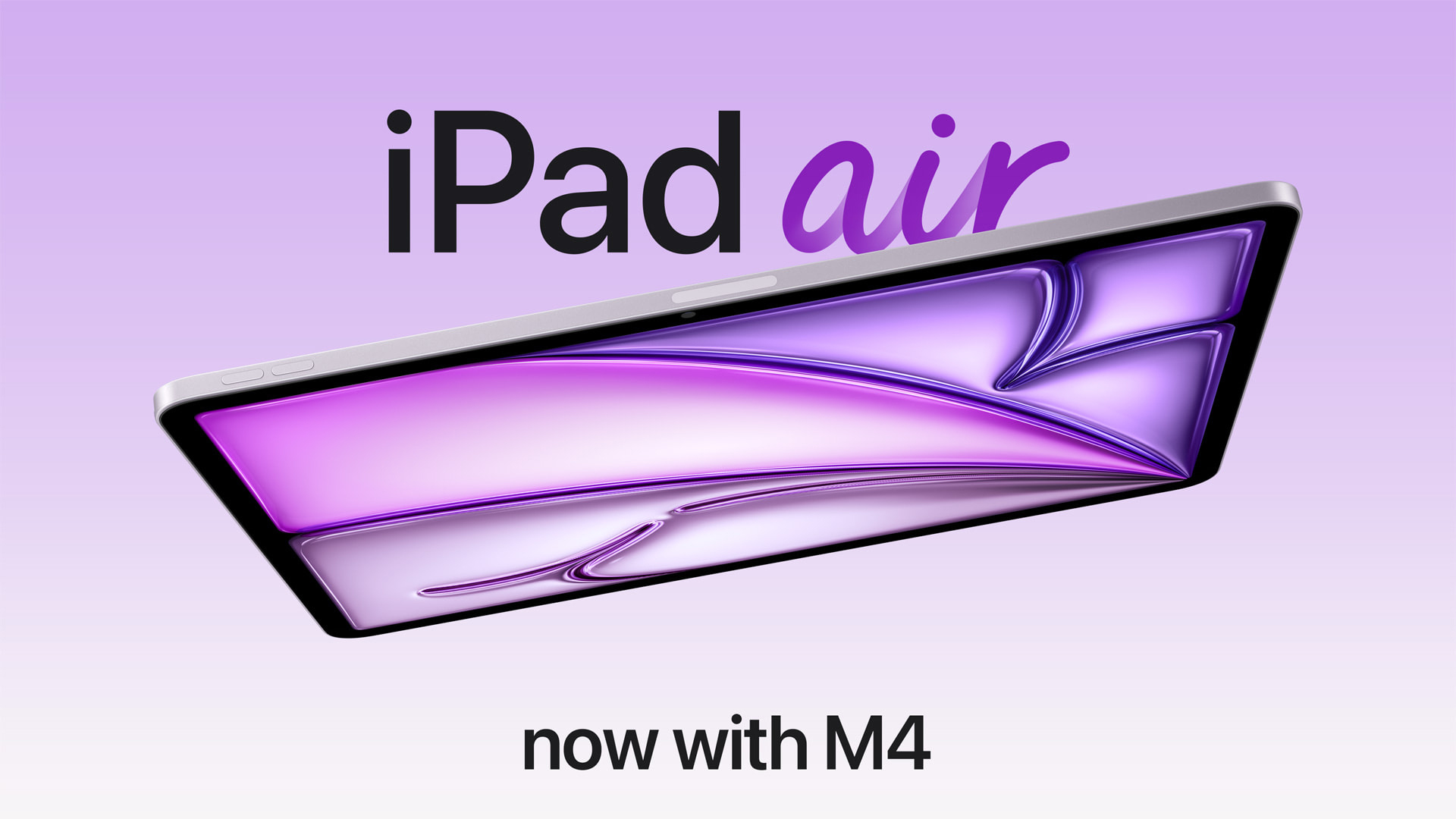
The first reviews of the iPad Air with the M4 chip have been shared by selected publications and YouTube channels, ahead of the device launching this Wednesday.
The new iPad Air features the M4 chip, 12GB of memory, the N1 wireless chip for Wi-Fi 7 and Bluetooth 6 connectivity, and Apple’s C1X modem on cellular models. Everything else remains unchanged compared to last year’s M3 model.
M3 vs. M4 iPad Air Buyer’s Guide: All Differences Compared
Many of the reviews noted the small, iterative nature of the M4 iPad Air over last year’s M3 model, with many features like the design, 60Hz Liquid Retina display, and Touch ID button lingering unchanged since 2020. Tom’s Guide said:
I wouldn’t go so far to say that the Air’s design has calcified, but if you go back several generations, you’ll see little has changed from year to year. The M4 Air has the same design as the Air Apple released back in 2020. To be sure, it’s a great look — thin, light, and a nice slim bezel all the way around.
The main upgrade is the move to the M4 chip, which reviewers agreed is noticeably faster than last year’s M3 model, even if it doesn’t dramatically change what can be achieved with the device.
Now powered by an M4 chip, the iPad Air is modestly faster than last year’s iPad Air M3. On our benchmark tests, it scored appreciably faster, both in single- and multicore, as well as in frame rate tests. The most notable difference you’ll see is if you go back a couple of generations; the M4 iPad scored nearly two times higher than the M1 Air on our Geekbench test.
Mashable highlighted the new chip’s better optimization for AI tasks:
I tried to test its AI capabilities using apps like Final Cut Pro’s auto-captions, Voice Memo’s transcription features, and CollaNote’s AI image generation. Even with WiFi and cellular data turned off, these processes happened almost instantly, and without any big mistakes.
In CollaNote, the popular note-taking app, you can use the Magic Pen to circle a doodle and turn it into an actual graphic. Record a note or interview with Voice Memos, and you’ll get an accurate transcription at the push of a button. In Pixelmator, you can upscale images and remove backgrounds from photos practically instantly.
I also feel like I’m barely scratching the surface of what you can do with the iPad Air’s Neural Engine, particularly when it comes to utilizing Apple Shortcuts and open-source models.
Gizmodo noted that while the new iPad Air benefits from the M4 chip, it still falls short of the version of the M4 used in other devices like the MacBook Air:
The iPad Air isn’t powered by the same M4 chip in the M4 MacBook Air. The tablet chip is a binned version, meaning it contains fewer cores than the maxed-out 10-core CPU and 10-core GPU. Apple configured the M4 iPad Air version with an 8-core CPU and a 9-core GPU. In practice, you won’t see quite the same performance as you would on the M4 MacBook Air. It’s also slower for more graphically demanding tasks, like 3D modeling.
What may be helping the M4 iPad Air get a leg up is the upgrade to 12GB of unified memory. That’s 4GB more than the M3 iPad Air. This will necessarily increase speeds for when you have multiple apps open at once. It will also boost overall performance.
Reviewers also looked at the new connectivity chips in the device, noting solid performance with no perceptible drawbacks to moving to Apple’s custom hardware. Engadget writes:
The other main change is Apple’s in-house networking chips are on board here. The N1 covers Wi-Fi 7, Bluetooth 6 and Thread, while the C1X handles cellular connectivity if you buy a 5G-capable model. Again, this doesn’t change the experience of using the iPad Air in any major way, but having the newest Wi-Fi and Bluetooth protocols on board is good for future usage, regardless of who built the chip. In my testing, the C1X on Verizon’s 5G network was extremely fast around the suburbs of Boston and didn’t seem any slower (or any faster) than other devices I have running on the same carrier. That’s fine, as other Apple devices I’ve tried with the C1X (like the iPad Pro) are solid and reliable, which is the most important thing.
Video Reviews
This article, “M4 iPad Air Reviews: Faster Chip, Familiar Design” first appeared on MacRumors.com
Discuss this article in our forums
The first reviews of the iPad Air with the M4 chip have been shared by selected publications and YouTube channels, ahead of the device launching this Wednesday.
The new iPad Air features the M4 chip, 12GB of memory, the N1 wireless chip for Wi-Fi 7 and Bluetooth 6 connectivity, and Apple’s C1X modem on cellular models. Everything else remains unchanged compared to last year’s M3 model.
M3 vs. M4 iPad Air Buyer’s Guide: All Differences Compared
Many of the reviews noted the small, iterative nature of the M4 iPad Air over last year’s M3 model, with many features like the design, 60Hz Liquid Retina display, and Touch ID button lingering unchanged since 2020. Tom’s Guide said:
I wouldn’t go so far to say that the Air’s design has calcified, but if you go back several generations, you’ll see little has changed from year to year. The M4 Air has the same design as the Air Apple released back in 2020. To be sure, it’s a great look — thin, light, and a nice slim bezel all the way around.
The main upgrade is the move to the M4 chip, which reviewers agreed is noticeably faster than last year’s M3 model, even if it doesn’t dramatically change what can be achieved with the device.
Now powered by an M4 chip, the iPad Air is modestly faster than last year’s iPad Air M3. On our benchmark tests, it scored appreciably faster, both in single- and multicore, as well as in frame rate tests. The most notable difference you’ll see is if you go back a couple of generations; the M4 iPad scored nearly two times higher than the M1 Air on our Geekbench test.
Mashable highlighted the new chip’s better optimization for AI tasks:
I tried to test its AI capabilities using apps like Final Cut Pro’s auto-captions, Voice Memo’s transcription features, and CollaNote’s AI image generation. Even with WiFi and cellular data turned off, these processes happened almost instantly, and without any big mistakes.
In CollaNote, the popular note-taking app, you can use the Magic Pen to circle a doodle and turn it into an actual graphic. Record a note or interview with Voice Memos, and you’ll get an accurate transcription at the push of a button. In Pixelmator, you can upscale images and remove backgrounds from photos practically instantly.
I also feel like I’m barely scratching the surface of what you can do with the iPad Air’s Neural Engine, particularly when it comes to utilizing Apple Shortcuts and open-source models.
Gizmodo noted that while the new iPad Air benefits from the M4 chip, it still falls short of the version of the M4 used in other devices like the MacBook Air:
The iPad Air isn’t powered by the same M4 chip in the M4 MacBook Air. The tablet chip is a binned version, meaning it contains fewer cores than the maxed-out 10-core CPU and 10-core GPU. Apple configured the M4 iPad Air version with an 8-core CPU and a 9-core GPU. In practice, you won’t see quite the same performance as you would on the M4 MacBook Air. It’s also slower for more graphically demanding tasks, like 3D modeling.
What may be helping the M4 iPad Air get a leg up is the upgrade to 12GB of unified memory. That’s 4GB more than the M3 iPad Air. This will necessarily increase speeds for when you have multiple apps open at once. It will also boost overall performance.
Reviewers also looked at the new connectivity chips in the device, noting solid performance with no perceptible drawbacks to moving to Apple’s custom hardware. Engadget writes:
The other main change is Apple’s in-house networking chips are on board here. The N1 covers Wi-Fi 7, Bluetooth 6 and Thread, while the C1X handles cellular connectivity if you buy a 5G-capable model. Again, this doesn’t change the experience of using the iPad Air in any major way, but having the newest Wi-Fi and Bluetooth protocols on board is good for future usage, regardless of who built the chip. In my testing, the C1X on Verizon’s 5G network was extremely fast around the suburbs of Boston and didn’t seem any slower (or any faster) than other devices I have running on the same carrier. That’s fine, as other Apple devices I’ve tried with the C1X (like the iPad Pro) are solid and reliable, which is the most important thing.
Video Reviews
Related Roundup: iPad Air Buyer’s Guide: iPad Air (Buy Now)Related Forum: iPadThis article, “M4 iPad Air Reviews: Faster Chip, Familiar Design” first appeared on MacRumors.comDiscuss this article in our forums Read More MacRumors: Mac News and Rumors – All Stories
#Techno #PCWorld